Integration Setup Guide
Enable Web Search for IntelBuddy
Give your chatbot access to real-time web and news data. No API keys needed - just toggle it on.
✓
Easiest Integration — No Credentials Required
Web Search works out of the box. Most users just need to click "Connect" and they're done.
Web Search
Search the entire web for current information, articles, and documentation.
News Search
"What's the latest news on AI?" - real-time news from major sources.
Market Research
Find competitor info, industry trends, and market data on demand.
Fact Checking
Verify claims, check stats, and validate information in real time.
Content Research
"Find articles about SaaS pricing strategies" — instant research assistant.
Company Lookup
Look up company details, funding info, leadership, and recent developments.
How It Works
Search Flow
When you ask a question that needs current data, here's what happens behind the scenes.

Navigate to Web Search
Open the integrations panel and find the Web Search tool.
Log in to IntelBuddy
Go to Settings → Integrations → External Tools
Find the Web Search card
Click "Configure" or "Connect"
IntelBuddy → Settings → Integrations → Web Search
Configure Web Search
No API keys needed. Just choose your preferred search backend and click connect.
Backend
✓
Auto (Recommended)
▼
Save & Connect
Cancel
Choose a Search Backend
Optional
By default, IntelBuddy uses Auto which picks the best engine automatically. You can override this if you prefer a specific provider.
Available backends:
⚡
Auto
Recommended
🔵
🟢
Bing
🟣
DuckDuckGo
Tips: "Auto" is the best choice for most users. It automatically routes to the fastest and most relevant search engine based on the query type.
Click Save & Verify
Instantly
Click "Save / Connect" and confirm the card shows a green "Connected" badge.
🟢
Connected
Privacy note: Web search queries are processed securely. IntelBuddy does not store search history or share queries with third parties.
🎉
You're All Set!
Your IntelBuddy chatbot can now search the web and deliver real-time information.

Try It Out
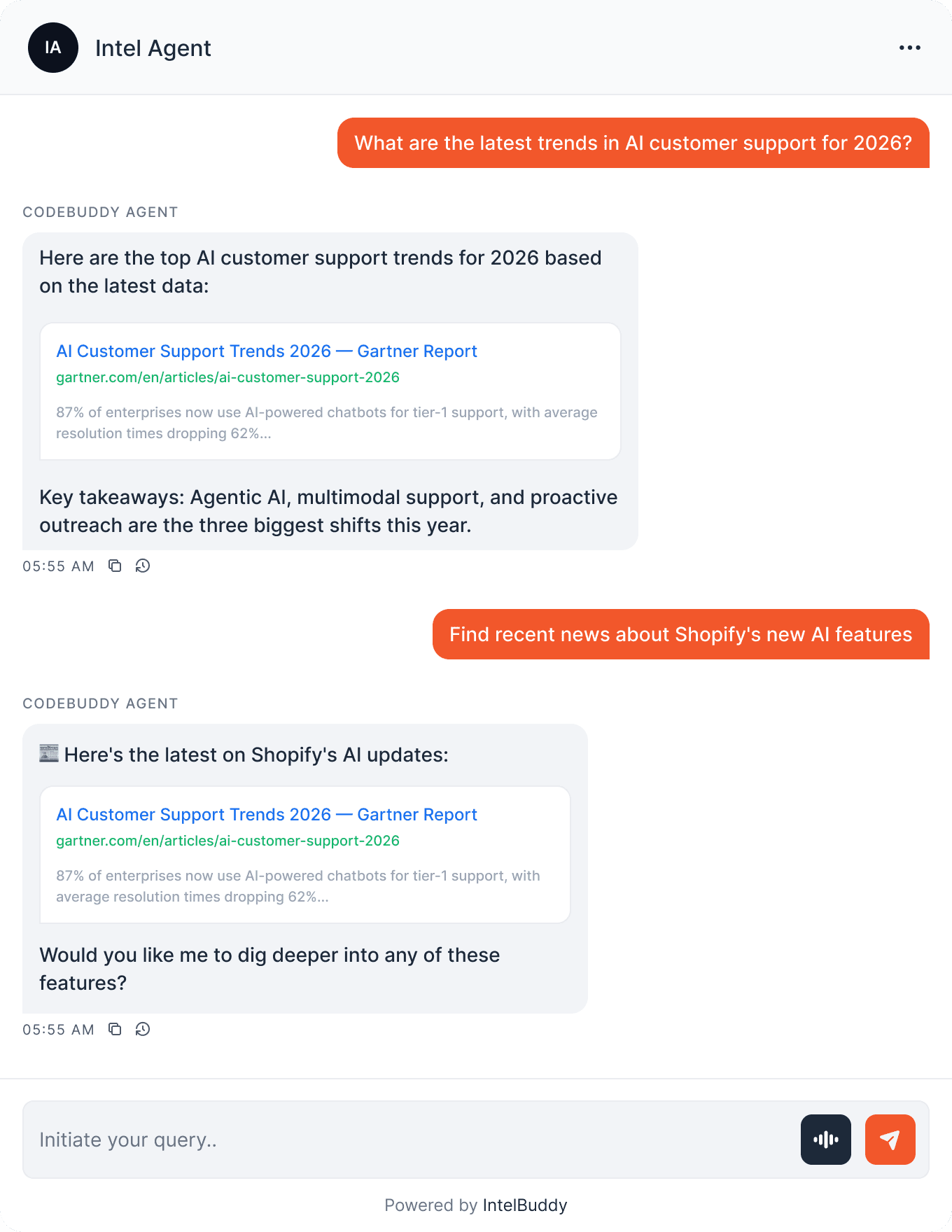
Example Conversations
Here's what you can ask your IntelBuddy chatbot now that Web Search is enabled.
Quick Reference
Things You Can Ask
Research
"What's the latest on …?"
"Find articles about …"
"Research competitors in …"
News
"Latest news on …"
"What happened with … today?"
"Breaking news in … industry"
Fact Check
"Is it true that …?"
"Verify this statistic: …"
"What's the current … rate?"
Business Intel
"Look up [company name]"
"What's [company]'s latest funding?"
"Compare [product A] vs [product B]"
Need Help?
Troubleshooting
Bot doesn't search the web
Make sure Web Search is enabled and shows "Connected" in Settings → Integrations. Try toggling it off and on again.
Results seem outdated
Try being more specific in your query. Add "latest" or "2026" to get the most recent results. Switching the backend from Auto to a specific engine may also help.
"Search failed" error
This is usually temporary. Wait a moment and try again. If the issue persists, switch to a different backend (e.g. Google → Bing) and contact support.
Results not relevant to my question
Try rephrasing your query to be more specific. Instead of "marketing tips," try "B2B SaaS email marketing strategies 2026" for better results.

Ready to transform your supports and insights? Join growing companies using Intelbuddy to automate support and make faster decisions.
Start for free. No credit card required. Cancel anytime.
© 2026 IntelBuddy. All rights reserved.