Integration Setup Guide

Connect Telegram to IntelBuddy
Deploy your AI chatbot directly on Telegram. Your customers message your bot and get instant, intelligent replies.
Auto-Reply Bot
Your IntelBuddy AI responds to Telegram users 24/7, in real time.
Multi-Language
Replies in the customer's language — automatic detection built in.
Natural Conversation
Handles follow-ups, context, and multi-turn conversations naturally.
Group Support
Add your bot to Telegram groups and let it answer questions there too.
Shareable Link
Share your bot link anywhere: t.me/YourBotName
Analytics
Track all Telegram conversations in your IntelBuddy dashboard.
Before You Start
Prerequisites
Step-by-Step
Setup Instructions
Connect Telegram in under 5 minutes using BotFather.

Open BotFather in Telegram
BotFather is Telegram's official tool for creating and managing bots.
Open Telegram on your phone or desktop
Search for @BotFather in the search bar
Tap on BotFather (look for the blue verified checkmark)
Tap "Start" if this is your first time
Quick link: Open BotFather directly at t.me/BotFather ↗
Create a New Bot
Tell BotFather to create a new bot and give it a name and username.
Send the command /newbot to BotFather
BotFather will ask for a display name — enter your bot's name (e.g. "Acme Support")
Next, enter a username ending in bot (e.g. AcmeSupportBot)
BotFather will confirm creation and give you an API Token
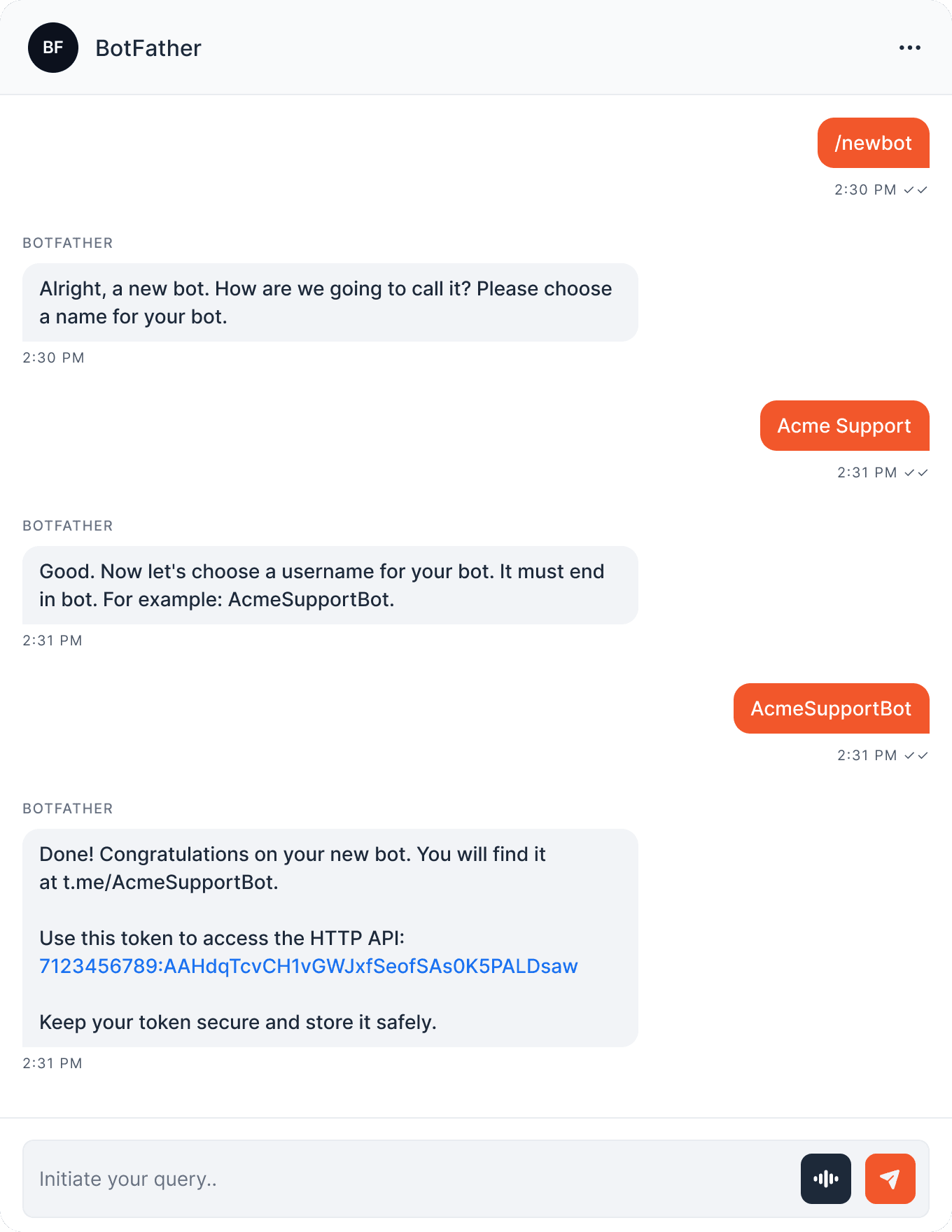
Copy the token now! It looks like 7123456789:AAHdq.... This is your bot's API key. Never share it publicly.
Paste Token Into IntelBuddy
Enter your Telegram Bot Token in the IntelBuddy integrations panel.
Log in to IntelBuddy
Go to Settings → Integrations → External Tools
Find the Telegram card → click "Configure"
Paste your Bot Token
Click "Save / Connect"
IntelBuddy → Settings → Integrations → Telegram
Configure Telegram
Bot Token *
Save & Connect
Cancel
Just one field! Telegram only requires the Bot Token. No Client IDs, Secrets, or callback URLs needed.
The token starts with xoxb-. Make sure you copy the Bot User token, not the User token. Keep it private.
Verify the Connection
The Telegram card should show a green "Connected" badge. Your bot is now live!
Telegram
🟢
Connected
Share your bot! Anyone can start chatting with your bot at t.me/AcmeSupportBot. Share this link on your website, social media, or email signatures.
🎉
You're All Set!
Your IntelBuddy AI chatbot is now live on Telegram. Customers can message it anytime.

Try It Out
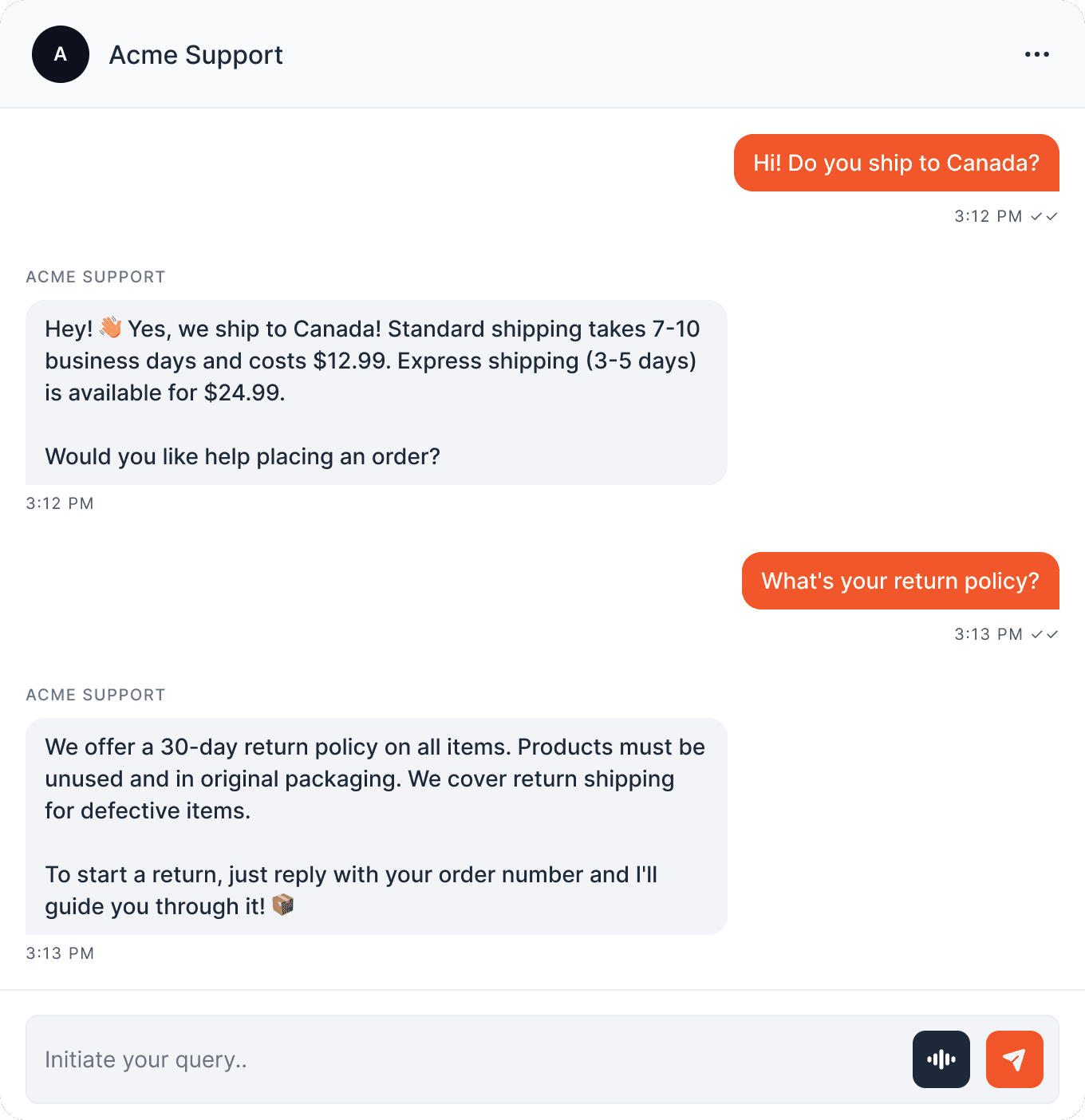
What Users See on Telegram
Here's how a customer interacts with your bot on Telegram.
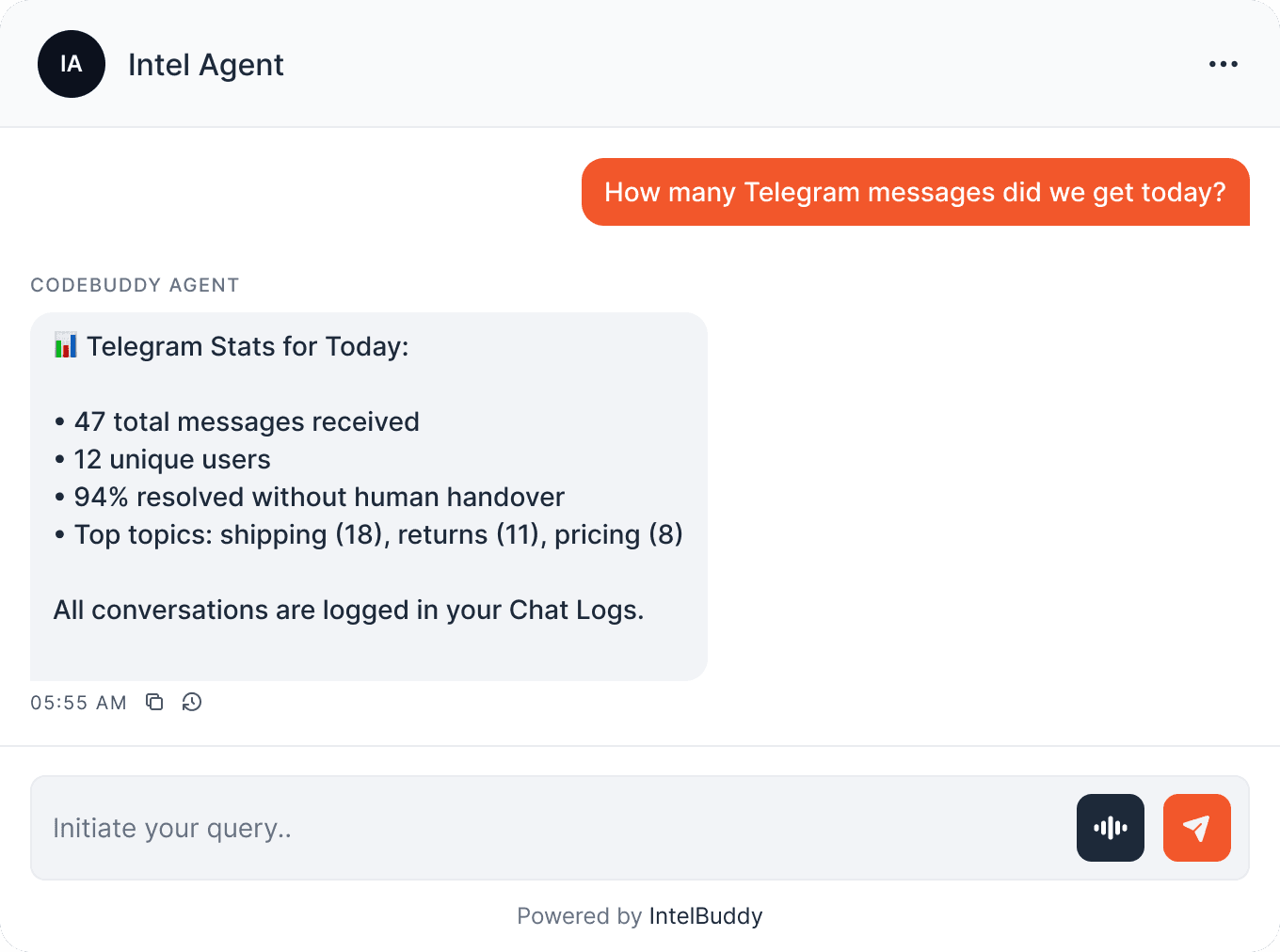
💻 You can also manage Telegram from the IntelBuddy dashboard:
Quick Reference
What Your Bot Can Do
Customer Support
Answer product questions
Handle returns & refunds
Check order status
Lead Generation
Capture contact details
Qualify leads with questions
Book demo appointments
E-Commerce
Product recommendations
Share product links
Provide shipping info
General
FAQ auto-responses
Business hours & location
Human handover when needed
Need Help?
Troubleshooting
Bot doesn't reply to messages
Make sure the token is correct and the card shows "Connected" in IntelBuddy. Also check that IntelBuddy's webhook was set successfully — try disconnecting and reconnecting.
Unauthorized
error
The Bot Token is invalid or has been revoked. Go to @BotFather, use /token to regenerate it, and paste the new token into IntelBuddy.
Bot only works in direct messages, not groups
By default, bots only respond to direct messages. To use in groups, go to @BotFather, send /setprivacy, select your bot, and set it to Disable (this allows the bot to see all group messages).
Username is already taken
Telegram bot usernames must be globally unique and end in bot. Try a more specific name like AcmeHelpDeskBot or YourBrand_SupportBot
Bot responds slowly
Response speed depends on your IntelBuddy plan and AI model. If responses are consistently slow, check your plan limits in the IntelBuddy dashboard or contact support.

Ready to transform your supports and insights? Join growing companies using Intelbuddy to automate support and make faster decisions.
Start for free. No credit card required. Cancel anytime.
© 2026 IntelBuddy. All rights reserved.