Integration Setup Guide
Connect Confluence to IntelBuddy
Search Pages
"Find our onboarding guide" — instant search across all spaces.
Read Content
"Show me the deployment runbook" — fetch and summarize any page.
Create Pages
"Create a meeting notes page in the Engineering space" — done.
Update Pages
"Add today's action items to the standup page" — append or edit.
Browse Spaces
"List all Confluence spaces" or "What's in the Product space?"
AI Summaries
"Summarize the API docs page" — get key points instantly.
Before You Start
Prerequisites
Step-by-Step
Setup Instructions
Connect Confluence to IntelBuddy in about 5 minutes using an API token.

Generate an Atlassian API Token
Create a personal API token that IntelBuddy uses to access your Confluence instance.
Click "Create API token"
Enter a label (e.g. "IntelBuddy")
Click "Create"
Click "Copy" to copy the token immediately
id.atlassian.com/manage-profile/security/api-tokens
🔑 Your New API Token
API TOKEN
Label: IntelBuddy • Created: Just now
Copy
Close
👤
Atlassian Account
🔒
Security
🔑
API Tokens
✓
Token Created
Copy it now! Atlassian only shows the API token once. If you lose it, you'll need to revoke the old token and create a new one.
Find Your Confluence Domain
This is the subdomain of your Confluence Cloud instance.
Open Confluence in your browser
Look at the URL bar — your domain is the first part
Copy just the subdomain (the part before .atlassian.net)
Example: If your Confluence URL is https://acme.atlassian.net/wiki, your domain is just acme.
Paste Into IntelBuddy
Enter your email, API token, and Confluence domain.
Go to Settings → Integrations → External Tools
Find the Confluence card → click "Configure"
Enter your Atlassian email, API Token, and Domain
Click "Save / Connect"
IntelBuddy → Settings → Integrations → Confluence
Configure Confluence
Atlassian Email *
you@company.com
API Token *
ATATT3xFfGF0tL8vH9kBYCpR7mN2Qz...
Domain *
yourteam
Save & Connect
Cancel
Use the email tied to your Atlassian account — the one you log in with. The API token is linked to this specific email address.
Verify the Connection
The Confluence card should show a green "Connected" badge.
Confluence
🟢
Connected
🎉
You're All Set!
Your IntelBuddy chatbot can now search, read, create, and update Confluence pages.

Try It Out
Example Conversations
Here's what you can say to IntelBuddy now that Confluence is connected.
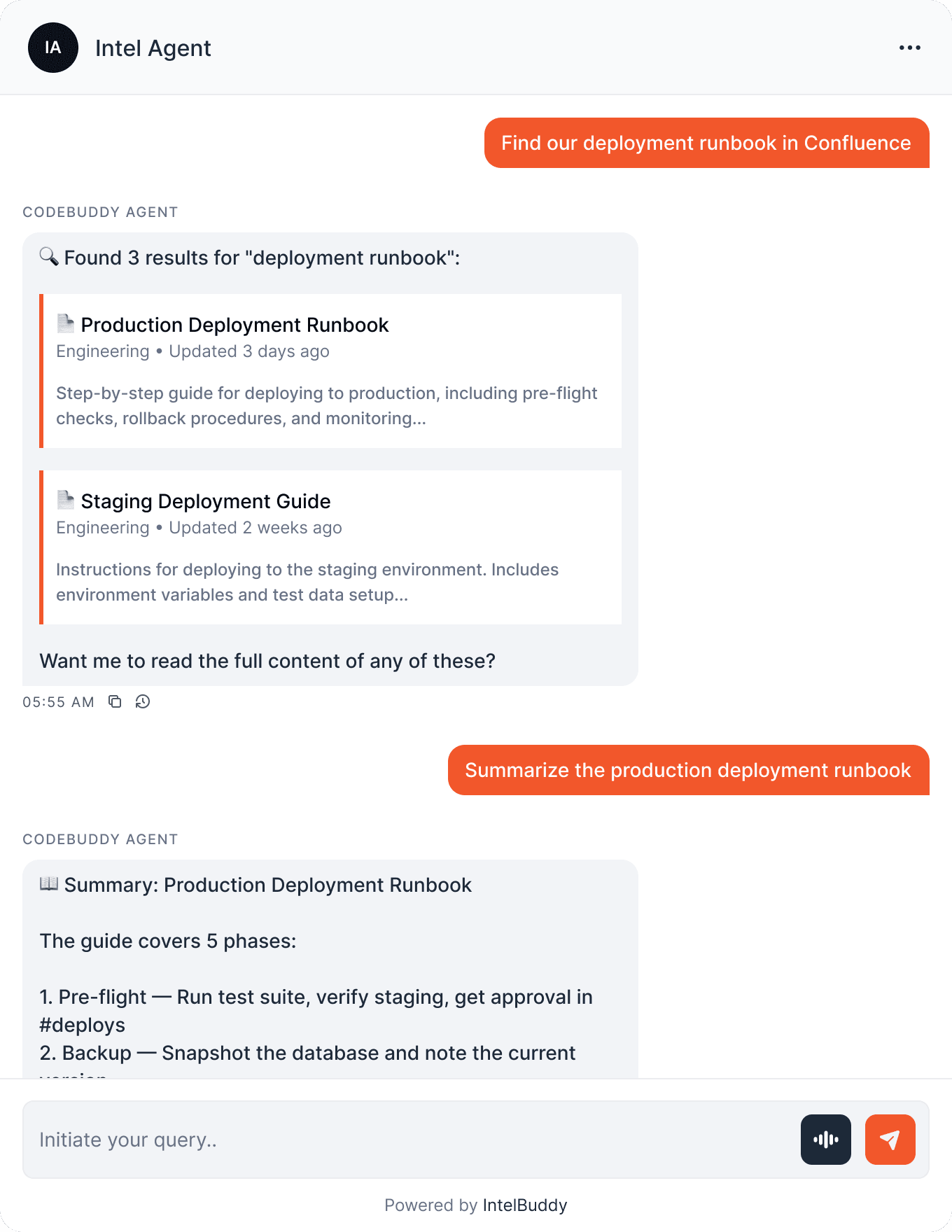
Quick Reference
Things You Can Say
Searching
"Find pages about …"
"Search Confluence for …"
"What do we have on …?"
Reading
"Show me the … page"
"Summarize the … doc"
"What does the … guide say?"
Creating
"Create a page in … space"
"Draft a new … doc"
"Make a meeting notes page"
Updating
"Add … to the … page"
"Update the runbook with …"
"Append action items to …"
Need Help?
Troubleshooting
"Unauthorized" or 401 error
Your email and API token don't match, or the token has been revoked. Generate a new token at id.atlassian.com and make sure the email matches your Atlassian login.
"Site not found" or domain error
Enter only the subdomain, not the full URL. For example, enter acme not acme.atlassian.net or https://acme.atlassian.net.
Can't find certain pages
The API token inherits the permissions of your Atlassian account. If you can't access a space or page in Confluence directly, the API won't be able to either. Ask your admin for access.
Page creation fails
Make sure you have edit permissions in the target space. Also check that the page title doesn't already exist in that space — Confluence requires unique titles per space.
This guide is for Cloud, not Server/Data Center
If your Confluence URL doesn't end in .atlassian.net, you may be on Server or Data Center. These use different authentication (personal access tokens or OAuth). Contact support for setup help.
Content looks different from the Confluence page
IntelBuddy reads the page content via the API, which returns the text without all visual formatting. Complex macros, embedded images, and advanced layouts may not render identically.

Ready to transform your supports and insights? Join growing companies using Intelbuddy to automate support and make faster decisions.
Start for free. No credit card required. Cancel anytime.
© 2026 IntelBuddy. All rights reserved.