
How to Integrate Intelbuddy with Instagram Account
This training guide offers a step-by-step process for integrating Intelbuddy with business Instagram account. Once the AI agent is connected to Instagram, it will automatically begin responding to inquiries, enhancing customer engagement and support.

1
Navigate to https://app.intelbuddy.ai
2
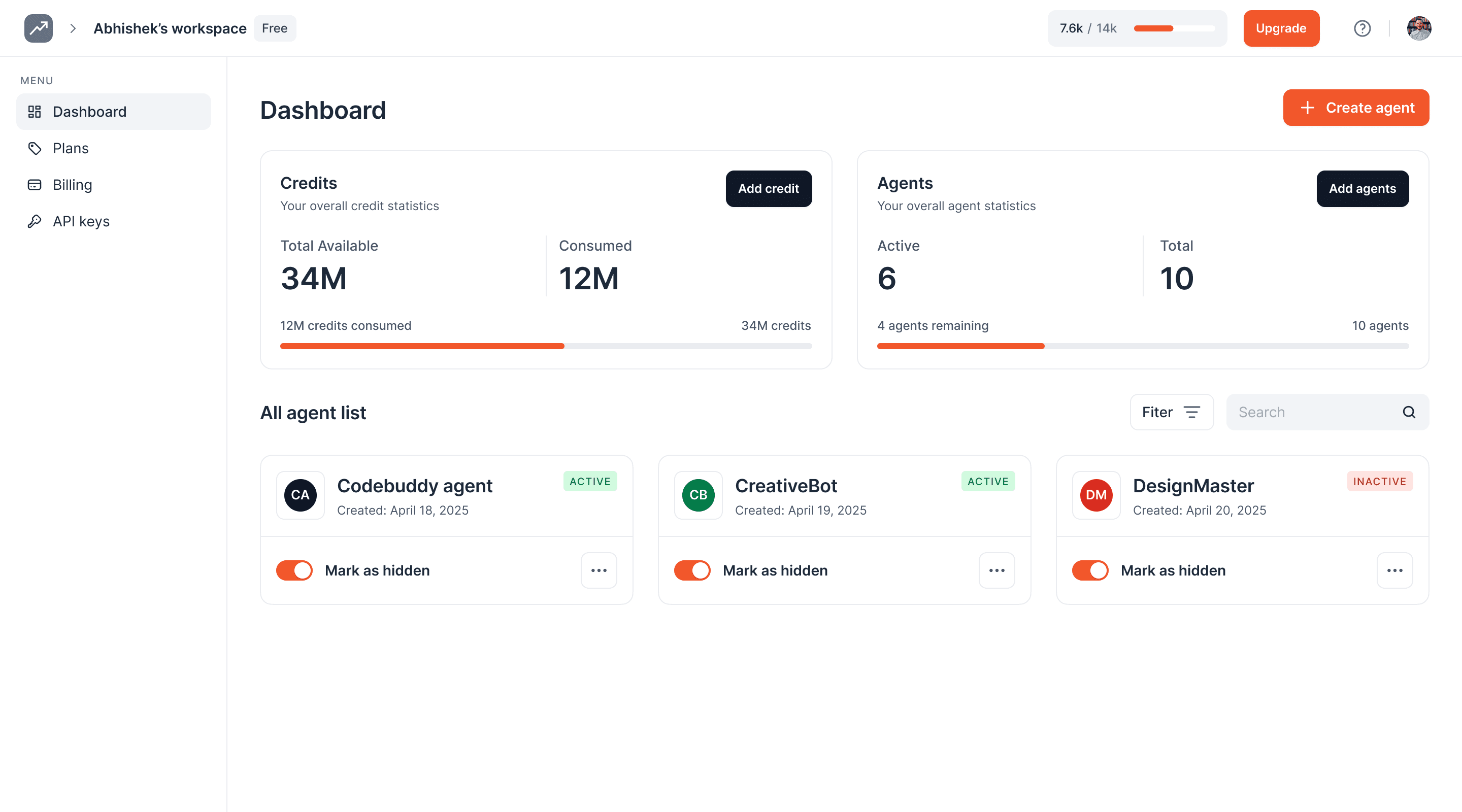
Click on your AI agent to open it
3
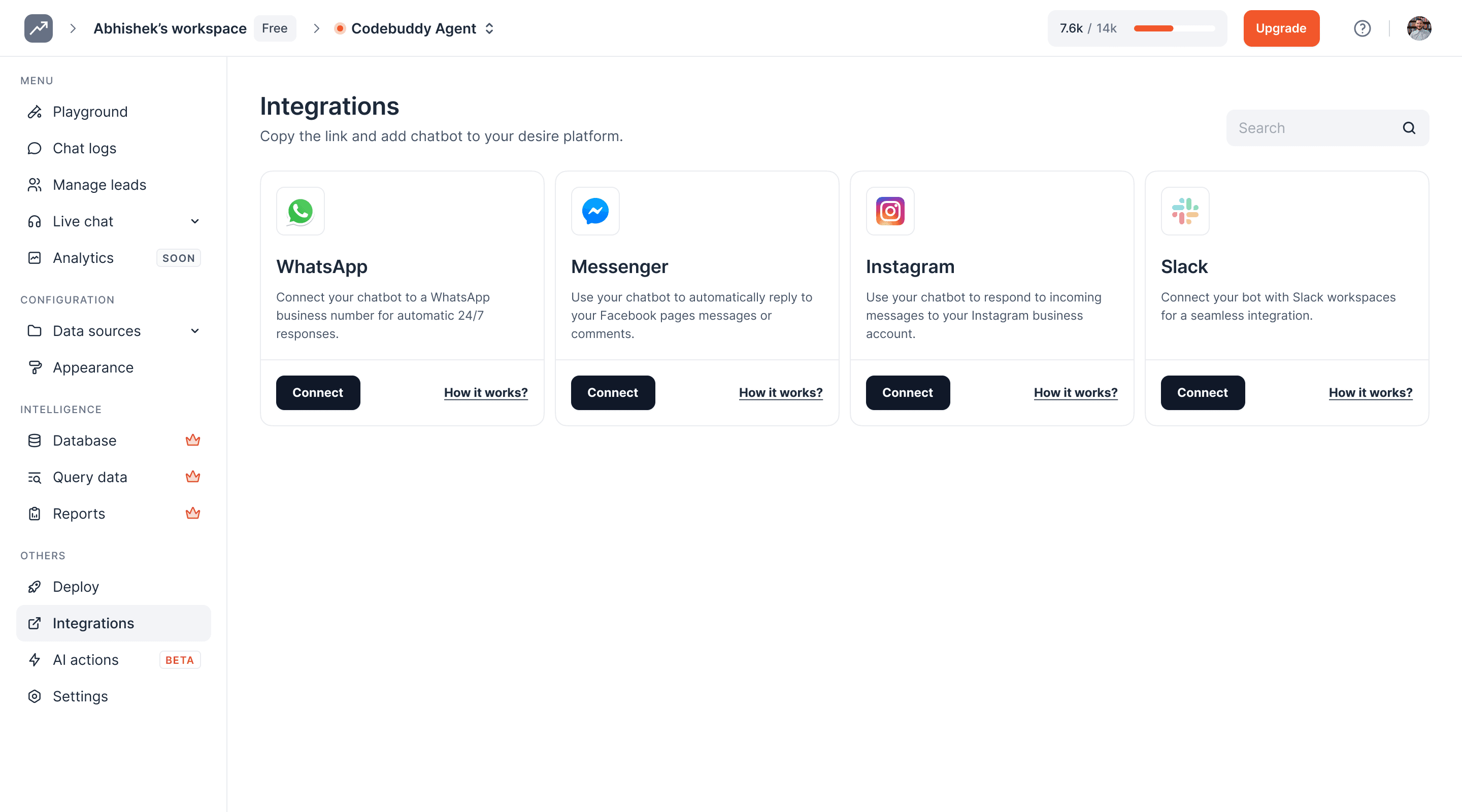
Click on Integrations to open this page
4
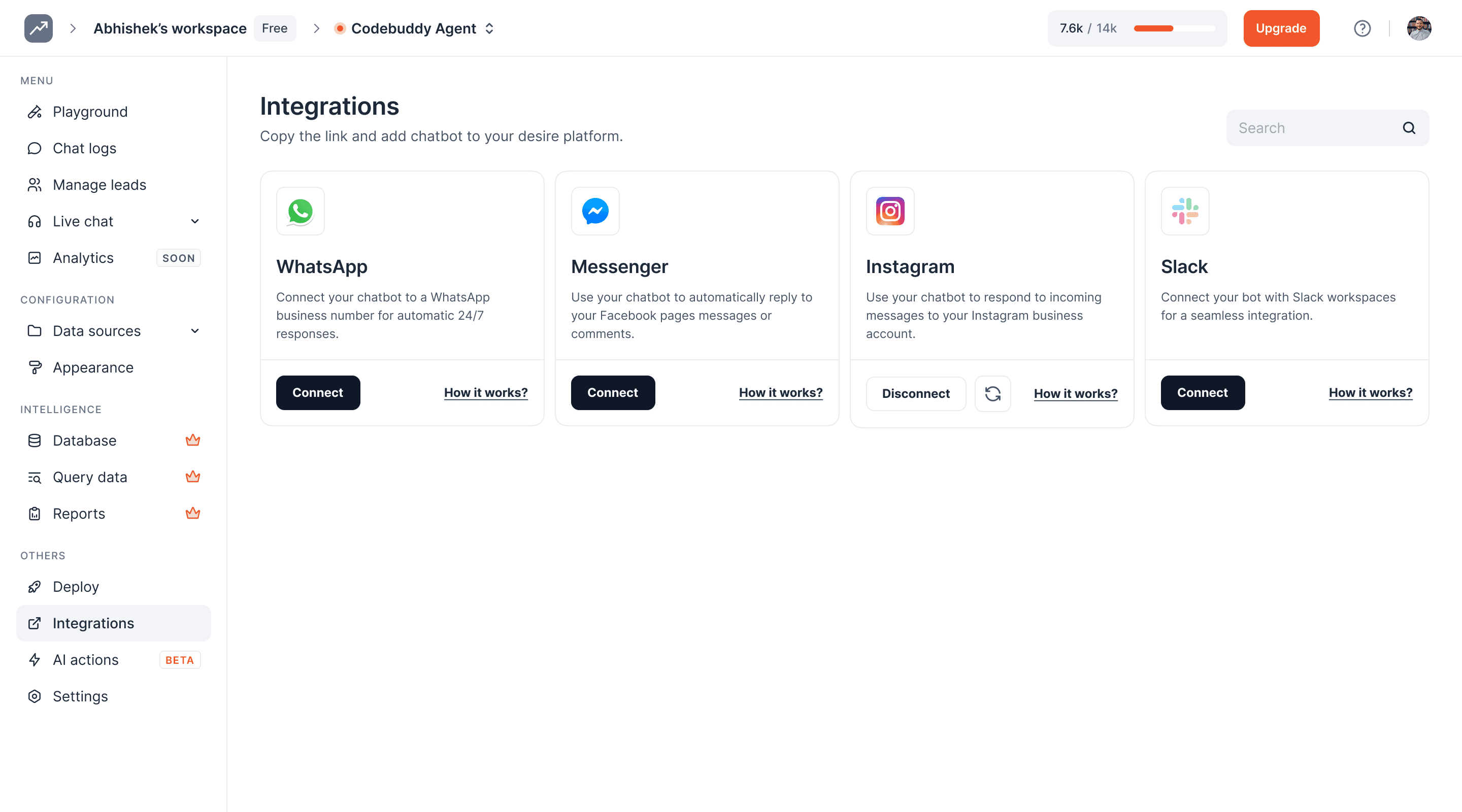
Click on the Connect button
5
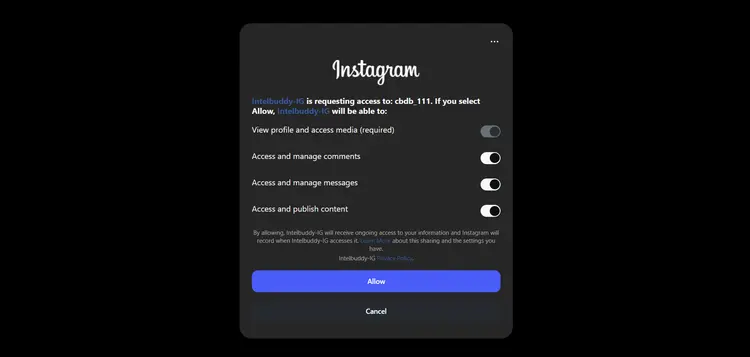
Turn on the Allow access to messages option
6
Click on Allow button to give the required permissions
7
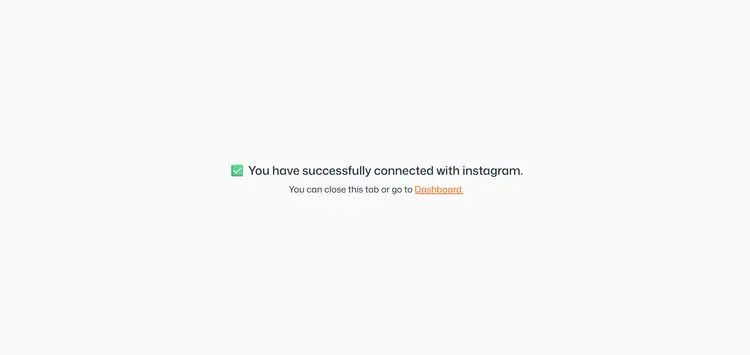
Your authentication is successful. Click on the Dashbord button
8
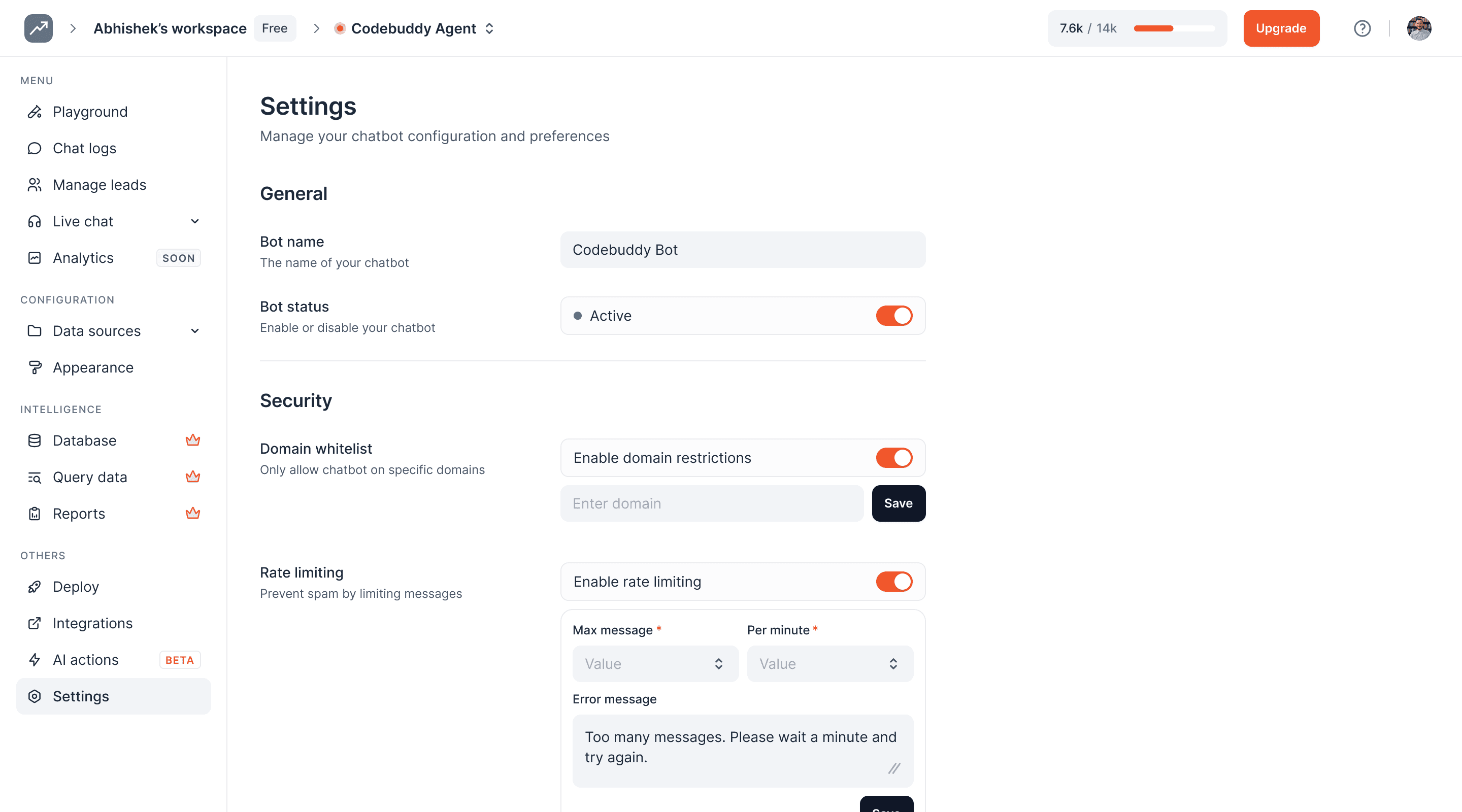
Click on the Settings icon
9
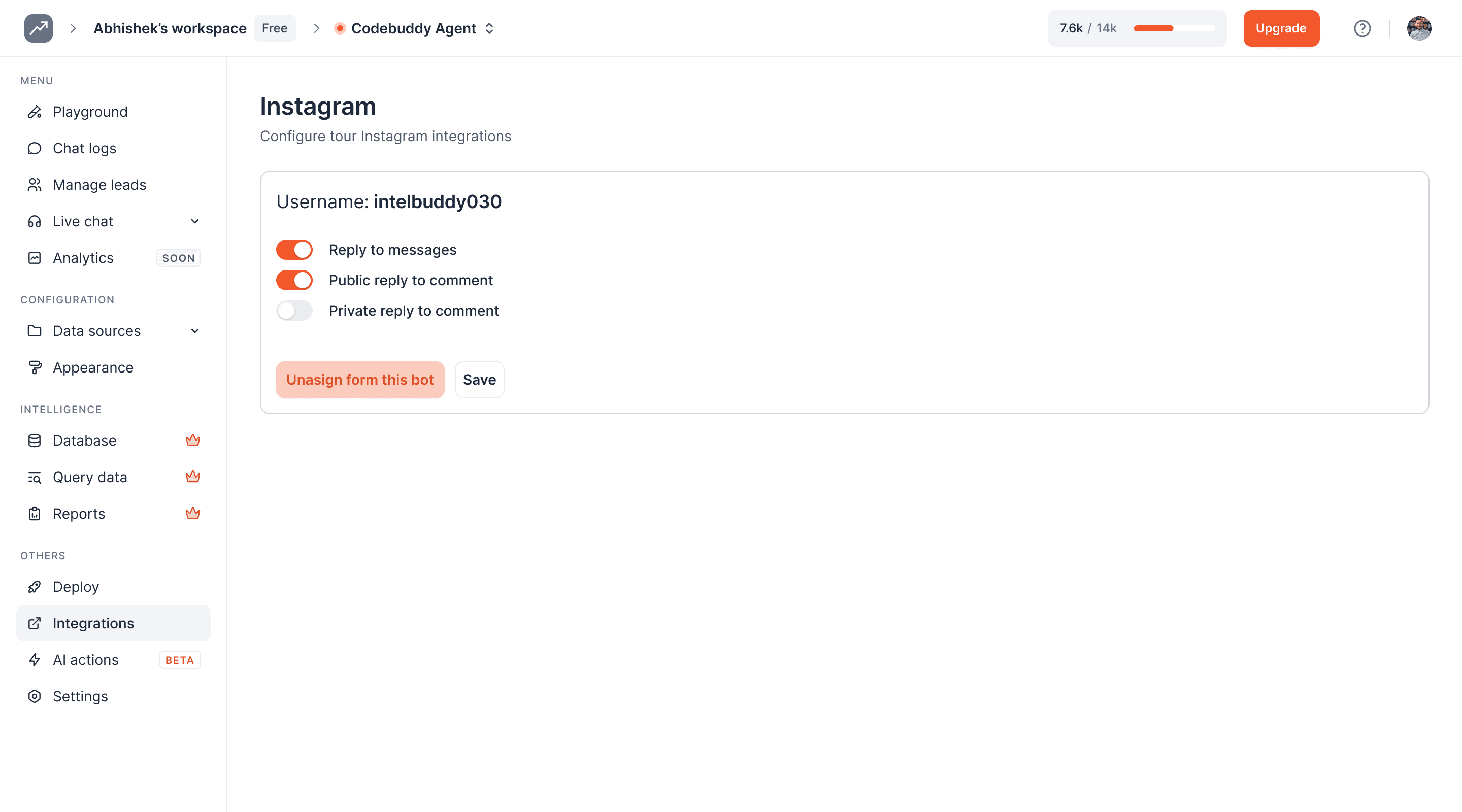
Turn on the Reply to Messages toggle button
10
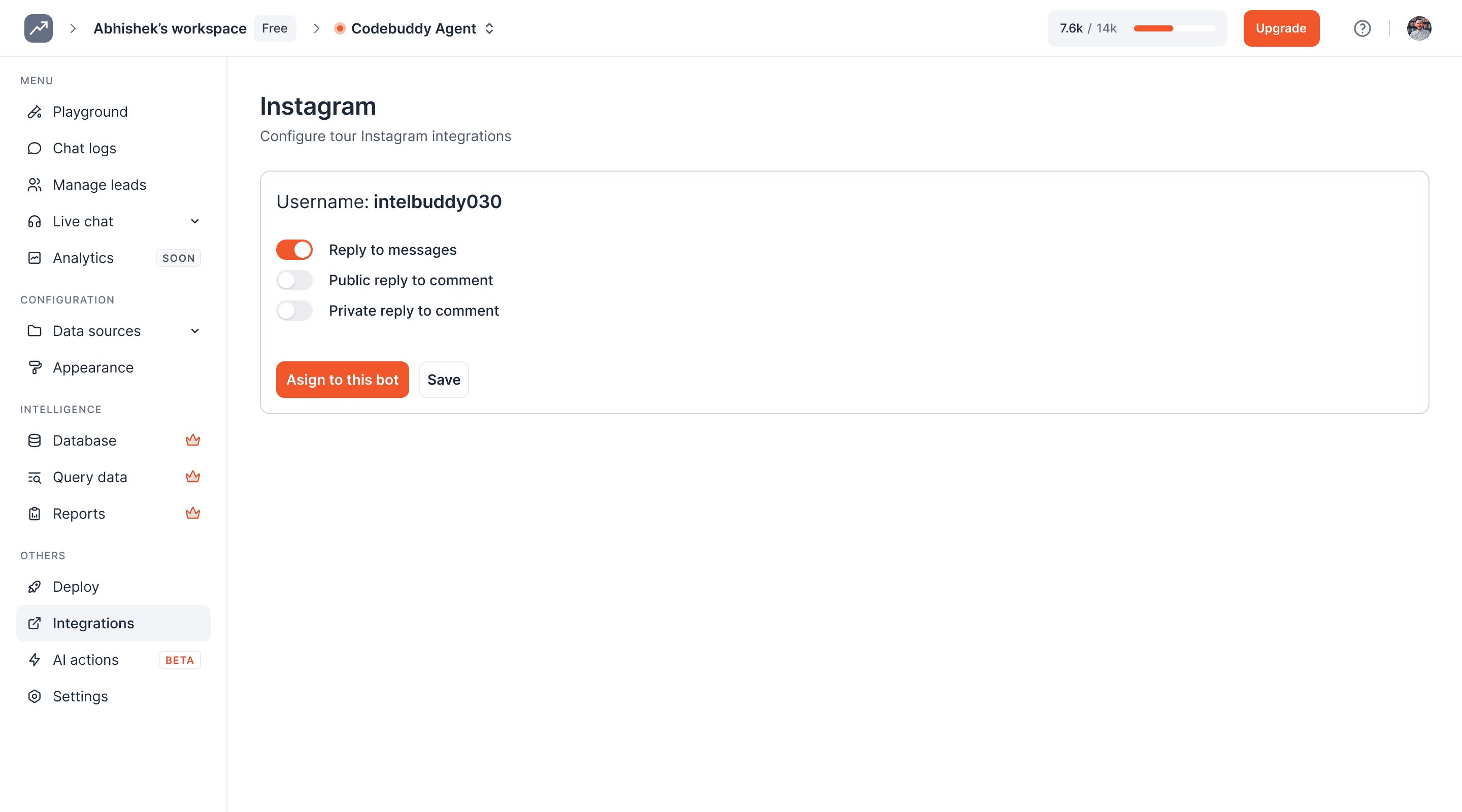
Click on 'Assign to this bot'
11
Click on the Save button
12
Done! 🚀 You have successfully connected your AI agent with your Instagram account; it can now reply to messages you receive
Ready to transform your supports and insights? Join growing companies using Intelbuddy to automate support and make faster decisions.
Start for free. No credit card required. Cancel anytime.
© 2026 IntelBuddy. All rights reserved.